Office Building Package Lockers: A Practical Guide for 2026
Upgrade your workplace with office building package lockers. Streamline courier drop-offs, cut reception workload, and improve security with our 2026 guide.

What if the biggest improvement to your office delivery process isn’t more reception coverage, but fewer packages passing through reception at all? Office building package lockers give couriers a designated drop-off point and let recipients collect deliveries when it fits their workday, reducing routine handling and interruptions for staff.
That matters when couriers arrive while employees are away from their desks, working remotely, or in meetings. A predictable, self-service process makes pickups more convenient and helps reception and facilities teams focus on other responsibilities. The key is choosing a system that supports the building’s delivery workflow, then setting clear procedures for couriers, recipients, and staff.
This guide explains how package lockers fit into office deliveries, from courier access and recipient notifications to contactless pickup. You’ll learn what to evaluate, including location, layout, package volume, software, and day-to-day management, and how to plan a rollout that works for your building. Smart locker hardware and cloud-based management work together to create a clear handoff from courier drop-off to recipient pickup, with less unnecessary handling in between.
Key Takeaways
- Office building package lockers work best when their location and capacity reflect the building’s delivery patterns.
- Assess recipient numbers, parcel mix, available space, and access needs before comparing locker options.
- Map courier access, recipient notifications, pickup, and status tracking to clarify how deliveries will move through the building.
- Define who manages access, monitors platform activity, and responds to recipient questions before deployment.
- See how modular locker hardware and cloud-based management can support a more organized office delivery process.
Why Office Building Package Lockers Solve a Daily Delivery Bottleneck
A courier arrives while the intended recipient is in a meeting, working remotely, or away from the office. Reception accepts the parcel, sets it aside, and later answers questions about who it belongs to and whether it has been collected. When these handoffs repeat, package intake interrupts reception and facilities work throughout the day.
Office building package lockers provide designated, self-service storage that connects a courier’s parcel drop-off with a recipient’s digital pickup notification. Each delivery has a defined handoff point and collection process. A general overview of this self-service model appears in the Parcel locker reference.
The difference is the workflow. A mailbox is intended for mail, while an ordinary storage area may lack parcel-specific access or notifications. A staffed mailroom relies on people to receive, sort, and hand over packages. A locker-based process uses designated compartments and digital access to route parcels from deposit to pickup. Building teams still set the operating procedures, including how to handle exceptions.
Which office delivery problems can lockers address?
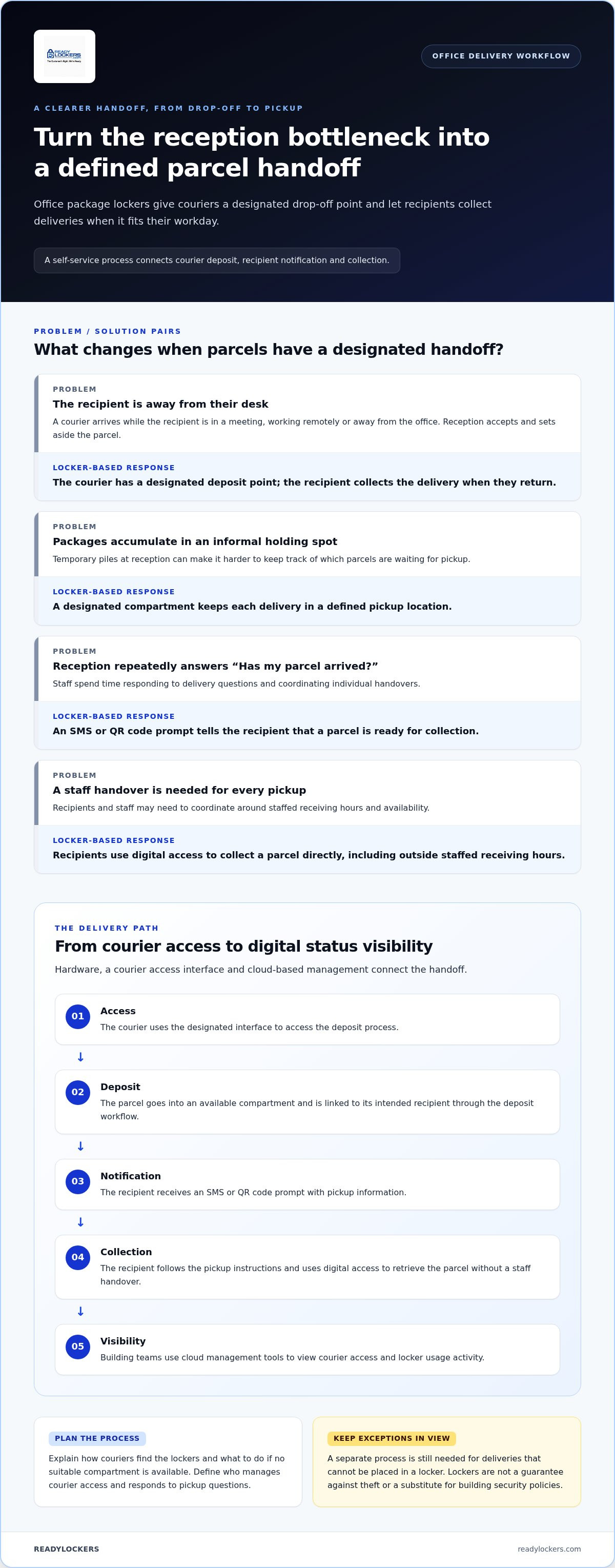
Lockers can help organize missed handoffs, reduce temporary package accumulation at reception, and replace repeated “Has my parcel arrived?” inquiries with a direct notification to the recipient. Staff can see that a parcel has been deposited, while recipients can collect it when they return to the building, including outside staffed receiving hours. This flexibility supports varied schedules, while a separate process is still needed for deliveries that cannot be placed in a locker.
- Missed recipients: Couriers have a designated handoff option when the recipient isn’t available.
- Unclaimed parcels: A compartment keeps a delivery in a defined pickup location rather than in an informal pile.
- Repeated questions: A notification tells the recipient that a parcel is ready for collection.
The purpose is a more consistent handoff, not a guarantee against theft or a substitute for building security policies.
When does a locker-based process make sense?
Look for recurring deliveries to multiple recipients, frequent periods when recipients are unavailable, or limited staff capacity for receiving and sorting parcels. These are signs that a repeatable self-service process may suit the building. Review patterns across typical workdays, not just the busiest delivery period, and note where staff currently receive, hold, and release packages.
For occasional deliveries, a dedicated automated process may add more steps than it removes. A locker system provides a handoff and pickup workflow, while couriers remain responsible for transporting parcels. Before deciding, identify who will manage courier access, respond to pickup questions, and handle parcels that remain uncollected. The right fit eases routine handling without creating a more complicated process for staff.
How Office Building Package Lockers Manage Delivery From Drop-Off to Pickup
A well-defined locker workflow gives each person a clear role: the courier places a parcel, the system links it to its recipient, and the recipient collects it using digital access. Building teams can monitor activity through the management platform instead of relying only on informal handovers or questions at reception.
An office locker handoff moves a parcel from courier access and compartment deposit to recipient notification, contactless collection, and digital status visibility. Office building package lockers connect these steps through locker hardware, a courier access interface, and cloud-based management. Building teams can set the operating procedure to fit their existing receiving arrangements.
What happens when a courier deposits a package?
The process starts with courier access. An access interface supports a controlled deposit, giving couriers a designated process instead of leaving parcels wherever space is available. Once access is granted, the courier places the parcel in an available compartment and associates the delivery with its intended recipient through the system’s deposit workflow.
That association gives the notification and pickup steps a clear destination, while the compartment provides a defined holding point. Building teams should explain how couriers find the lockers and what to do if no suitable compartment is available.
- Access: The courier uses the designated interface to access the deposit process.
- Deposit: The parcel is placed in an available locker compartment and linked to its recipient.
- Notification: The recipient receives an SMS or QR code prompt with pickup information.
- Collection: The recipient uses the provided digital access method to collect the parcel without a staff handover.
- Visibility: Building teams use cloud management tools to view courier access and locker usage activity.
How do recipients and building teams manage pickup?
After deposit, an SMS or QR code notification prompts the recipient to collect the parcel. The recipient follows the pickup instructions and retrieves it directly from the locker, creating a contactless handoff. People can collect deliveries around their work schedules rather than coordinating each exchange with reception staff. Pickup is available around the clock.
For building teams, cloud-based management brings courier access management and usage analytics into one platform. Activity visibility can help staff understand how lockers are being used and identify workflow issues, such as unclear pickup instructions. Assign someone to monitor the system and help recipients who encounter a problem.
For a closer look at how software supports access and locker activity, explore this locker notification system guide. Buildings planning a connected handoff can also review ReadyLockers smart package lockers as a hardware and cloud-management option.
How to Evaluate Office Building Package Locker Options
Choose a system by starting with the building’s delivery pattern, then matching its physical layout and management process to that pattern. Office building package lockers should suit the parcels, recipients, and access routines the building actually has. Separate essential workflow requirements from optional features before comparing configurations, so an attractive extra doesn’t distract from practical fit.
| Factor | What to assess | Why it matters |
|---|---|---|
| Delivery volume | Typical daily arrivals, busy periods, and delivery frequency | Helps shape a configuration around recurring demand rather than a single peak. |
| Recipient count | How many people or organizations receive parcels | Indicates how widely the pickup process needs to serve the building. |
| Package mix | Common parcel dimensions and the range of package types | Compartment options should reflect the deliveries the building commonly handles. |
| Available space | Usable area, circulation, visibility, and access from recipient routes | A system needs to fit the site without obstructing normal movement. |
| Access hours | When couriers can deposit parcels and recipients can reach the lockers | Access arrangements need to align with building routines and recipient schedules. |
Match capacity and layout to office delivery patterns
Review delivery frequency across ordinary and peak periods, the number of recipients, and the dimensions of parcels that arrive. A delivery log can show whether arrivals cluster at particular times or include a range of package sizes. Use those observations to guide capacity and compartment planning rather than relying on a generic formula.
Then assess potential locations for indoor space, clear circulation, visibility, and convenient recipient access. Modular configurations can be tailored to a building’s layout and expected package volume. The goal is a practical fit, not a one-size-fits-all installation.
Compare management, access, and reporting needs
Check how courier access fits existing receiving routines and whether SMS or QR code notifications give recipients a clear pickup prompt. Contactless collection may be essential to the intended workflow, while other features may be optional. Prioritize capabilities that address a specific operational need.
Consider whether managers need cloud-based access administration and usage analytics to oversee locker activity. Hardware provides the physical compartments, while locker management software supports the digital workflow. The locker hardware is purchased, and access to the platform is available through a recurring subscription. For broader system-selection context, consult the 2026 smart package locker buyer’s guide.
Plan an Office Package Locker Deployment Around the Building
A successful deployment connects the locker’s physical location to the building’s delivery routine and assigns clear ownership for daily operations. Before choosing a configuration, document how parcels move now, where staff receive them, and what recipients will need to know. This planning helps Office building package lockers become part of an understandable process rather than a separate system people have to figure out.
Work through four steps:
- Map deliveries. Track where parcels arrive, how they’re currently received, and which handoffs create delays or extra questions. Note delivery patterns and the teams involved.
- Assess space. Review candidate locations for visibility, convenient recipient access, proximity to normal delivery routes, and clear circulation. Consider how couriers and recipients will approach the lockers without disrupting nearby activity.
- Define roles. Assign responsibility for courier access administration, monitoring platform activity, communicating process changes, and answering recipient support questions. Make sure staff know who takes ownership when an exception occurs.
- Configure the system. Use the building’s layout and expected package volume to guide the modular locker configuration. Plan the digital workflow alongside the hardware so access, notifications, and pickup instructions work as one process.
Assess the site and define operating responsibilities
Walk each potential location during normal building activity. Check whether it’s easy to find, reachable from typical delivery routes, and positioned without obstructing circulation. Then map current receiving tasks from courier arrival through recipient handoff. Decide which parcels will move into the locker workflow and which existing procedures remain in place. Clear ownership prevents access administration and routine communications from becoming unassigned tasks.
For practical implementation considerations, use this smart locker installation planning guide alongside the site review.
Prepare couriers and recipients for the new workflow
Make the process visible before deliveries begin. Signage should direct couriers to the designated locker area and explain the access steps. Recipient instructions should explain what an SMS or QR code notification means, how to complete contactless pickup, and where to turn if a message is missed or instructions aren’t clear. Keep instructions concise and easy to find at the locker and in any launch communication.
After launch, set a regular review cadence. Use available usage analytics alongside feedback from reception, facilities staff, couriers, and recipients to identify friction points. For example, repeated questions about finding the lockers may signal that signs or directions need improvement. Review whether responsibilities remain clear as routines change, then adjust communications or operating steps as needed. To plan a configuration around your building’s layout and delivery workflow, explore ReadyLockers office locker options.
How ReadyLockers Connect Office Locker Hardware With Daily Operations
Once a building has defined its delivery workflow and site requirements, the next step is choosing a system that connects the physical lockers with the tasks staff and recipients need to complete. ReadyLockers brings modular smart locker hardware together with a cloud-based management platform, connecting courier access, parcel pickup prompts, and usage visibility in one office process.
What the ReadyLockers office workflow brings together
The locker units provide compartments for parcel deposits. A courier access interface supports the deposit process, while cloud-based management gives building teams tools to manage courier access and view system activity. The hardware provides the physical handoff point, and the platform supports its administration.
After a parcel is deposited and associated with its recipient, the recipient receives an SMS or QR code notification prompting pickup. They can follow the digital access steps to collect the package without a staff handover. Usage analytics give managers a view of locker activity, which can inform operational reviews and help them understand how the system is being used. Analytics show activity, not a guaranteed operational outcome.
This connected approach makes Office building package lockers part of an operating process rather than standalone cabinets. Staff can establish who oversees access administration and platform activity, while recipients follow a consistent route from notification to collection. Couriers transport the parcels and use the locker system to complete the handoff.
ReadyLockers’ modular configurations can be tailored to the property’s layout and package-volume requirements. Planning can account for the actual locker location, delivery patterns, and recipient flow instead of assuming every office needs the same arrangement. The hardware is purchased, while cloud platform access uses a recurring subscription, giving the physical system and its management tools clear, connected roles.
What to do next when evaluating an office system
Before selecting a configuration, bring together the information gathered during planning. Document recurring delivery patterns and peak periods, map the proposed locker location against normal courier and recipient routes, and define who manages access, monitors platform activity, and responds to recipient questions. These decisions give the configuration a practical basis and make it easier to prepare clear courier and recipient instructions.
Then align the modular hardware and cloud platform with the building’s layout and expected package volume. Consider how the physical placement supports the workflow and how platform tools fit the team’s responsibilities. This keeps the evaluation focused on operational fit, not features without a defined purpose.
For a connected hardware and management option tailored to office delivery needs, explore office package locker solutions.
Turn Your Delivery Plan Into a Practical Next Step
Turn your delivery observations into a clear brief: where lockers could go, who will use them, what kinds of parcels arrive, and how pickup should fit the building’s routines. That gives your team a practical basis for assessing Office building package lockers and deciding what an effective handoff looks like in your workplace.
ReadyLockers connects modular hardware with a cloud platform for courier access management, SMS or QR code notifications, and usage analytics. Configurations are tailored to property layouts and package-volume requirements, while contactless pickup around the clock supports recipients with different schedules. Consider how those capabilities align with your building’s priorities and where a self-service process could make everyday deliveries easier to manage.
Explore office package locker solutions and take the next step toward a delivery workflow designed for your building. A well-planned system can make package pickup clearer for recipients and more manageable for the teams who keep the office running.
Frequently Asked Questions
Can office package lockers work without a dedicated mailroom?
Yes. Lockers can be placed in a suitable shared area, such as a lobby or another location along the building’s normal delivery route. Choose a location that couriers can reach and recipients can find without blocking everyday movement. Decide in advance who manages access and what staff should do with parcels that can’t enter the locker workflow.
Are office package lockers suitable for hybrid workplaces?
Yes. They can help employees who aren’t in the office every day collect a delivery on a later visit, rather than coordinating a handoff during a specific staffed period. Before implementation, clarify how long parcels may remain in compartments and who handles uncollected items. Office building package lockers are most useful when pickup instructions account for varied attendance patterns.
What happens if an employee misses a locker notification?
The employee should check the building’s posted pickup instructions and contact the designated office or facilities support person if they can’t locate the message. Managers can also review available platform activity to help investigate whether a parcel was deposited. Set a clear support route before launch, so employees know whom to ask and staff can respond consistently without guessing at the parcel’s status.
Can office package lockers handle deliveries from different carriers?
A locker workflow can be organized around courier access rather than a named carrier partnership. The building should provide clear directions to the locker area and explain the access process to couriers who deliver there. Communicate the procedure instead of assuming every carrier follows the same steps, and decide how staff will handle a delivery when a courier can’t complete a locker deposit.
How should a building handle packages that do not fit in a locker?
Create an exception process before the first delivery arrives. For example, designate a staff-managed receiving location for parcels that exceed available compartment space, and identify who records or communicates that handoff. Review the types and dimensions of packages the building receives when configuring lockers. A defined alternative helps prevent oversized deliveries from being left in corridors or mixed with parcels awaiting pickup.
Do office package lockers require employees to install an app?
Not necessarily. ReadyLockers supports SMS or QR code notifications, which can prompt recipients to collect a package without relying on an app notification. Explain the building’s chosen pickup steps in recipient instructions, including what to do if a message is missed or the QR code isn’t available. Managers should make sure employees know where to get help with access questions.
How can managers tell whether office lockers are being used effectively?
Use platform usage analytics alongside practical feedback from reception, facilities staff, couriers, and recipients. Look for patterns that point to friction, such as recurring questions about access, parcels that need an alternative handoff, or a locker location that recipients struggle to find. Review these observations regularly, then adjust instructions, responsibilities, or the operating process where needed.

Frequently Asked Questions
Which office delivery problems can lockers address?+
Lockers can help organize missed handoffs, reduce temporary package accumulation at reception, and replace repeated “Has my parcel arrived?” inquiries with a direct notification to the recipient. Staff can see that a parcel has been deposited, while recipients can collect it when they return to the building, including outside staffed receiving hours. This flexibility supports varied schedules, while a separate process is still needed for deliveries that cannot be placed in a locker. The purpose is a more consistent handoff, not a guarantee against theft or a substitute for building security policies.
When does a locker-based process make sense?+
Look for recurring deliveries to multiple recipients, frequent periods when recipients are unavailable, or limited staff capacity for receiving and sorting parcels. These are signs that a repeatable self-service process may suit the building. Review patterns across typical workdays, not just the busiest delivery period, and note where staff currently receive, hold, and release packages. For occasional deliveries, a dedicated automated process may add more steps than it removes. A locker system provides a handoff and pickup workflow, while couriers remain responsible for transporting parcels. Before deciding, identify who will manage courier access, respond to pickup questions, and handle parcels that remain uncollected. The right fit eases routine handling without creating a more complicated process for staff. A well-defined locker workflow gives each person a clear role: the courier places a parcel, the system links it to its recipient, and the recipient collects it using digital access. Building teams can monitor activity through the management platform instead of relying only on informal handovers or questions at reception. An office locker handoff moves a parcel from courier access and compartment deposit to recipient notification, contactless collection, and digital status visibility. Office building package lockers connect these steps through locker hardware, a courier access interface, and cloud-based management. Building teams can set the operating procedure to fit their existing receiving arrangements.
What happens when a courier deposits a package?+
The process starts with courier access. An access interface supports a controlled deposit, giving couriers a designated process instead of leaving parcels wherever space is available. Once access is granted, the courier places the parcel in an available compartment and associates the delivery with its intended recipient through the system’s deposit workflow. That association gives the notification and pickup steps a clear destination, while the compartment provides a defined holding point. Building teams should explain how couriers find the lockers and what to do if no suitable compartment is available.
How do recipients and building teams manage pickup?+
After deposit, an SMS or QR code notification prompts the recipient to collect the parcel. The recipient follows the pickup instructions and retrieves it directly from the locker, creating a contactless handoff. People can collect deliveries around their work schedules rather than coordinating each exchange with reception staff. Pickup is available around the clock. For building teams, cloud-based management brings courier access management and usage analytics into one platform. Activity visibility can help staff understand how lockers are being used and identify workflow issues, such as unclear pickup instructions. Assign someone to monitor the system and help recipients who encounter a problem. For a closer look at how software supports access and locker activity, explore this locker notification system guide. Buildings planning a connected handoff can also review ReadyLockers smart package lockers as a hardware and cloud-management option. Choose a system by starting with the building’s delivery pattern, then matching its physical layout and management process to that pattern. Office building package lockers should suit the parcels, recipients, and access routines the building actually has. Separate essential workflow requirements from optional features before comparing configurations, so an attractive extra doesn’t distract from practical fit.
Can office package lockers work without a dedicated mailroom?+
Yes. Lockers can be placed in a suitable shared area, such as a lobby or another location along the building’s normal delivery route. Choose a location that couriers can reach and recipients can find without blocking everyday movement. Decide in advance who manages access and what staff should do with parcels that can’t enter the locker workflow.
Are office package lockers suitable for hybrid workplaces?+
Yes. They can help employees who aren’t in the office every day collect a delivery on a later visit, rather than coordinating a handoff during a specific staffed period. Before implementation, clarify how long parcels may remain in compartments and who handles uncollected items. Office building package lockers are most useful when pickup instructions account for varied attendance patterns.
What happens if an employee misses a locker notification?+
The employee should check the building’s posted pickup instructions and contact the designated office or facilities support person if they can’t locate the message. Managers can also review available platform activity to help investigate whether a parcel was deposited. Set a clear support route before launch, so employees know whom to ask and staff can respond consistently without guessing at the parcel’s status.
Can office package lockers handle deliveries from different carriers?+
A locker workflow can be organized around courier access rather than a named carrier partnership. The building should provide clear directions to the locker area and explain the access process to couriers who deliver there. Communicate the procedure instead of assuming every carrier follows the same steps, and decide how staff will handle a delivery when a courier can’t complete a locker deposit.
How should a building handle packages that do not fit in a locker?+
Create an exception process before the first delivery arrives. For example, designate a staff-managed receiving location for parcels that exceed available compartment space, and identify who records or communicates that handoff. Review the types and dimensions of packages the building receives when configuring lockers. A defined alternative helps prevent oversized deliveries from being left in corridors or mixed with parcels awaiting pickup.
Do office package lockers require employees to install an app?+
Not necessarily. ReadyLockers supports SMS or QR code notifications, which can prompt recipients to collect a package without relying on an app notification. Explain the building’s chosen pickup steps in recipient instructions, including what to do if a message is missed or the QR code isn’t available. Managers should make sure employees know where to get help with access questions.
How can managers tell whether office lockers are being used effectively?+
Use platform usage analytics alongside practical feedback from reception, facilities staff, couriers, and recipients. Look for patterns that point to friction, such as recurring questions about access, parcels that need an alternative handoff, or a locker location that recipients struggle to find. Review these observations regularly, then adjust instructions, responsibilities, or the operating process where needed.