Mailroom Checklist: A Practical Guide to Secure, Efficient Package Handling
Streamline deliveries with this practical mailroom checklist. Discover how to secure package handling, track intake, and simplify recipient handoffs today.

A package isn’t accounted for just because it made it through the mailroom door. Without a consistent mailroom checklist, deliveries can go unlogged, staff can lose time searching for items and contacting recipients, and handoffs can be hard to verify.
A clear process gives every package an owner and a trackable path from arrival to pickup. It also sets practical procedures for access, storage, recipient notifications, and exceptions, whether you handle a few deliveries a day or a steady stream. Smart package lockers can support accountable intake and self-service handoff, while SMS or QR code notifications help recipients know when an item is ready.
This guide covers the steps to standardize receiving, sorting, security, pickup, and follow-up across a property or workplace. Use it to clarify staff responsibilities, track package status, and identify improvements that fit your delivery volume and available space. The goal is a mailroom workflow that’s more secure, easier to manage, and simpler for recipients to use.
Key Takeaways
- Assign clear task owners and adapt mailroom procedures to your property type, delivery volume, and available space.
- Use a mailroom checklist to guide each package through acceptance, inspection, recording, identification, and routing.
- Set access rules and document package movement so exceptions and handoffs are easier to trace.
- Standardize recipient messages and pickup confirmation to reduce repeated follow-up and keep package statuses current.
- Compare manual intake, staffed package rooms, and smart lockers against your team’s workload, space, and pickup needs.
Mailroom checklist essentials: define the workflow before deliveries arrive
A useful mailroom checklist makes responsibilities visible and package status easy to follow. Specify who prepares the receiving area, logs and sorts deliveries, sends recipient notifications, and checks outstanding items at the end of the day. Name a backup for each task so intake can continue when the usual owner is unavailable.
A mailroom checklist is a repeatable workflow for receiving, recording, sorting, securing, and handing off packages. The exact tasks depend on the facility, but every delivery should have a clear next step and an assigned owner. A general overview of mailroom functions and roles is available in What is a Mailroom?
What belongs on a daily mailroom checklist?
Group tasks by stage rather than keeping one long, undifferentiated list. Staff can then see what needs attention at opening, during delivery periods, and before closeout.
- Opening: Check that receiving areas and access points are ready. Confirm that shelves, labels, and designated storage locations are usable.
- Intake and sorting: Assign staff to accept deliveries, record identifying details, and route each item to the correct holding area.
- Handoff and exceptions: Name the person responsible for recipient notifications, pickup questions, and deliveries that can’t be matched or stored as usual.
- End-of-day review: Have an assigned staff member check outstanding packages, update their statuses, and pass unresolved issues to the next shift.
Include a backup for every essential task. If the intake owner is away or handling another duty, a named alternate can keep deliveries moving. Use consistent status terms, such as “received,” “ready for pickup,” “collected,” and “exception.” Consistent labels help staff understand what has happened without interpreting different wording.
How should the checklist vary by mailroom?
Start with the facility’s recipients and handoff pattern. An office checklist may need to account for employee deliveries, shared reception responsibilities, and defined pickup windows. A residential property may need clear resident notifications and steps for self-service collection. Shared facilities can add routing rules for different organizations or recipient groups.
Then set the level of detail based on delivery volume, staffing, and room layout. A smaller operation may need a simple daily task sheet with clear ownership. A busy mailroom may benefit from separate intake, sorting, and handoff assignments, along with a visible way to track package status. Smart package lockers paired with management software can support recorded intake and recipient handoff when self-service pickup fits the workflow. Keep the checklist practical enough to follow during a busy delivery period, not just during a quiet review.
Mailroom checklist for receiving, logging, and sorting incoming deliveries
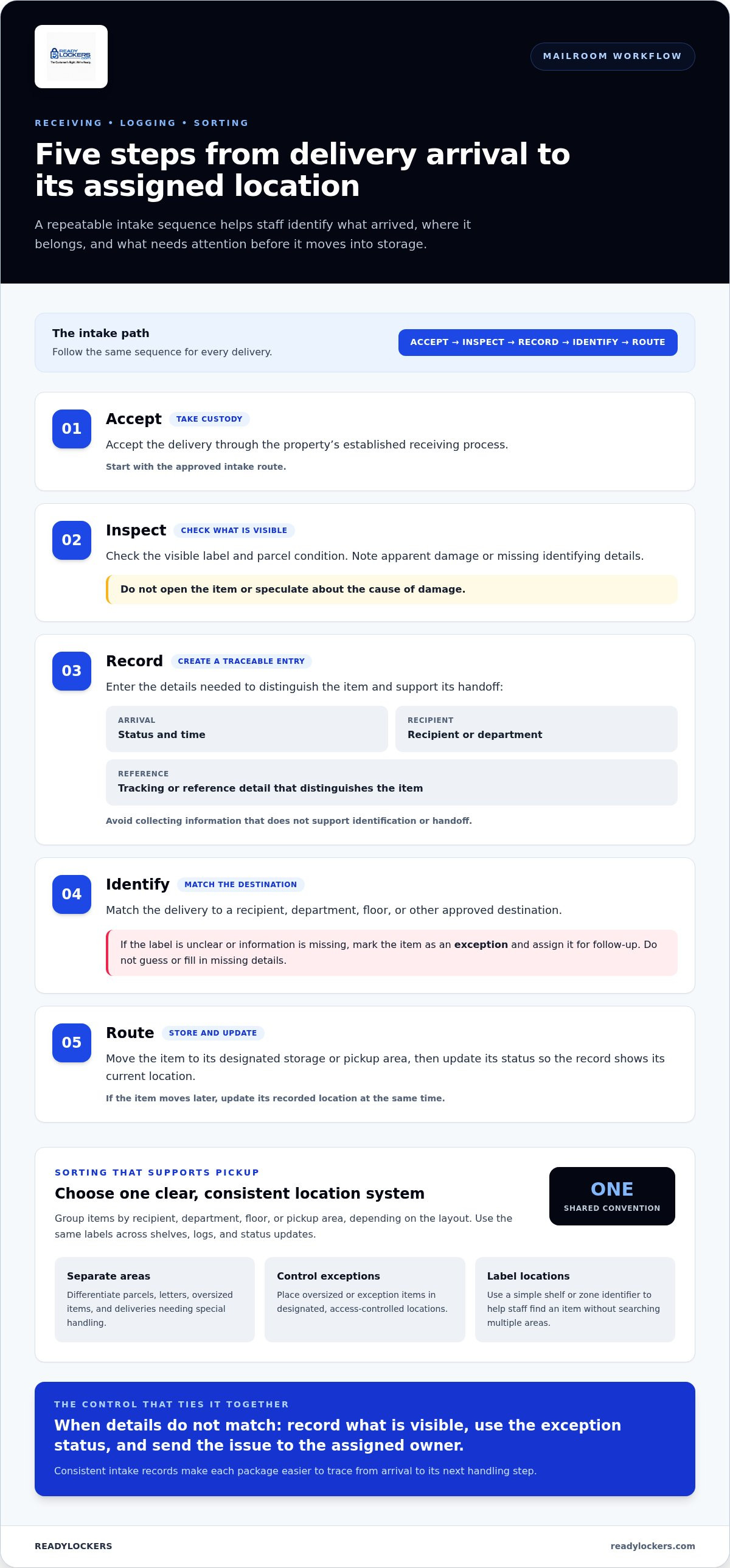
Reliable intake starts with the same sequence for every delivery. A repeatable process helps staff identify what arrived, where it belongs, and what needs attention before the item moves into storage.
How to receive and log packages consistently
Use this sequence as the core of your mailroom checklist. Follow the property’s approved logging method, whether it’s a paper log or a digital system.
- 1. Accept: Take custody of the delivery through the property’s established receiving process.
- 2. Inspect: Check the visible label and parcel condition. Note apparent damage or missing identifying details without opening the item or speculating about the cause.
- 3. Record: Enter the arrival status and time, recipient or department, and the tracking or reference detail needed to distinguish the item. Avoid collecting information that doesn’t support identification or handoff.
- 4. Identify: Match the delivery to a recipient, department, floor, or other approved destination. If the label is unclear or information is missing, mark it as an exception and assign it for follow-up.
- 5. Route: Move the item to its designated storage or pickup area, then update its status so the record shows its current location.
Consistent intake records make each package easier to trace from arrival to its next handling step.
If details don’t match, don’t guess the recipient or fill in missing delivery information. Record what is visible, use the property’s exception status, and send the issue to the assigned owner. This prevents uncertain information from becoming an inaccurate record.
How to sort deliveries for faster pickup
Choose a sorting convention staff can apply quickly and recipients can understand. Depending on the layout, group items by recipient, department, floor, or pickup area. Use the same labels across shelves, logs, and status updates. If an item moves, update its recorded location at the same time.
Keep parcels, letters, oversized items, and deliveries requiring special handling in clearly differentiated areas. Place oversized or exception items in designated, access-controlled locations rather than leaving them where they obstruct routine intake. A simple location label, such as a shelf or zone identifier, helps staff find an item without searching multiple areas.
For higher-volume workflows, smart package lockers paired with cloud-based management software can connect courier deposits, package records, recipient notifications, and pickup status. Explore smart locker package handling as one option for making intake and handoff more trackable.
Mailroom security checklist: control access, exceptions, and package handoffs
Package security depends on clear access rules and an unbroken record of custody. State who may enter the receiving area, handle deliveries, and release items. Set the rules according to the property’s procedures, then make sure staff, couriers, and recipients understand where they may go and which handoff steps to follow.
How to manage access and package custody
Limit entry to people with a defined role in the mailroom process. Specify how couriers make deposits, whether recipients collect from a staffed counter or designated pickup area, and which staff members can resolve exceptions. Avoid leaving packages in uncontrolled spaces when a designated secure location is available.
Record each change in custody using the property’s sign-out, notification, or locker workflow. For a staffed handoff, capture the collection status and the information your process uses to identify the item and recipient. For locker pickup, use the system’s status record to show that the package was deposited and collected. A documented handoff makes package responsibility easier to trace.
Smart package lockers with management software provide a defined deposit and collection process, with recipient notifications supporting the handoff. Explore smart package locker systems as one way to structure access and package tracking.
What to do with damaged, unidentified, or unclaimed packages
Exceptions need a documented route, not an informal holding spot. Follow property procedures to photograph or describe visible damage, keep the package in an appropriate designated area, and record its status. Don’t assume what caused the damage or fill gaps in recipient details with a guess.
- Damaged: Record the visible condition and notify the staff member assigned to review the issue.
- Unidentified or misdirected: Mark what information is unclear, assign an owner to investigate, and record the next follow-up point.
- Unclaimed: Review outstanding items on a scheduled basis and document the next action under the property’s process.
Keep these procedures aligned with property policies and any requirements that apply to the facility. A concise exception record should show the package’s current location, the issue, who owns follow-up, and what action is pending. This gives the next staff member a clear starting point and helps prevent unresolved items from disappearing from view.
Mailroom checklist for notifications, pickup, and end-of-day closeout
A package isn’t ready for collection until the recipient knows what to do and the mailroom can confirm what happened next. Build notification, pickup, and status updates into the mailroom checklist so each step follows the same sequence.
How to notify recipients and confirm package pickup
Notify the intended recipient only after the package has been logged and marked ready for collection. Use one consistent communication channel, such as the property’s designated messaging system, and keep the message brief and actionable. State that a delivery is ready, where to collect it, and the pickup instructions for that location.
Use this sequence for each item:
- Confirm the package record matches the recipient and pickup location.
- Send the notification through the approved channel with clear collection instructions.
- Record the pickup through the property’s normal tracking process.
- Update the package status to show that collection is complete.
For example, a message can direct the recipient to a staffed collection point or, where smart package lockers are used, provide the relevant locker pickup information. SMS or QR code notifications can support this process, while contactless pickup lets recipients collect packages without a staff-mediated handoff.
What to review before closing the mailroom
Closeout should give the next responsible staff member a clear view of what remains and what needs attention. Check unresolved exceptions, unclaimed deliveries, and notifications that are still pending. Confirm package records reflect the latest known status, return sorting areas to their agreed layout, and secure restricted areas according to property procedures.
Pass active issues to the next staff member or shift. Include the package location, why it remains unresolved, who owns follow-up, and the next action. A handoff that names both the issue and its owner is more useful than a general note to “follow up.”
Use package records to spot repeated delays and missed pickups. Look for notifications that remain unanswered or items that regularly wait longer than expected for collection. Record these patterns rather than relying on staff impressions. The information can help managers adjust communication steps, pickup instructions, or workflow ownership. A cloud-based management platform can bring package statuses and pickup activity into one place for review.
To support a more trackable recipient handoff, explore contactless package pickup with smart package lockers and management software.
When to upgrade a manual mailroom checklist with smart package lockers
A manual process can work well when deliveries are manageable, staff record them consistently, and recipients can collect packages without disrupting other duties. Consider additional support when staff repeatedly search for items, notifications are delayed, storage areas become crowded, or package handling interrupts reception work.
What signals that a manual process needs support?
Use package records to identify pressure points instead of relying on occasional impressions. Review delivery volume alongside unresolved-item patterns, missed notifications, time spent locating packages, and space constraints. If the same problems recur, adjust the workflow or evaluate another handling method. Base the decision on what the records show and which part of the process needs improvement.
Manual reception, staffed package rooms, and smart lockers each involve different tradeoffs:
- Manual reception: Staff receive and log packages, then coordinate recipient pickup. It offers direct oversight but depends on staff availability and consistent recordkeeping.
- Staffed package room: A designated team manages storage and handoffs. This creates clear ownership but requires staff time and suitable space.
- Smart lockers: Couriers deposit packages in a designated locker, and recipients collect them through a contactless process. Locker records and notifications can provide clearer visibility between deposit and pickup.
How smart lockers support accountable package handoff
A locker deposit creates a defined step between delivery and recipient collection. ReadyLockers pairs modular smart locker hardware with cloud-based management software. The system supports courier deposits, courier access management, SMS or QR code notifications, and contactless pickup available 24/7. Usage analytics help teams review activity. Together, these features provide a recorded deposit and a clear prompt for recipients, reducing the need for manual follow-up.
Smart lockers aren’t automatically the right fit for every mailroom. Consider delivery volume, staffing, available space, and pickup needs together. A compact operation with reliable reception coverage may prefer a straightforward manual process, while a property with frequent staff interruptions or a need for self-service collection may benefit from a locker-based workflow. Keep reviewing package activity so the process can adapt as needs change.
For help assessing fit and workflow, read the smart package lockers buyer’s guide and the smart locker management software guide. Use these resources to evaluate how locker deposits, package status, and recipient pickup can fit into your mailroom checklist.
Make every package handoff easier to track
A reliable mailroom process depends on clear ownership, consistent intake records, and a confirmed handoff. A practical mailroom checklist helps staff follow the same steps from receiving and sorting through recipient pickup and end-of-day review. Regularly checking unresolved items and recurring delays helps teams adjust procedures to their actual workload.
For properties handling frequent deliveries or seeking more self-service pickup, smart package lockers can add a defined step between courier deposit and collection. ReadyLockers pairs smart locker hardware with cloud-based management software, automated SMS or QR code recipient notifications, courier access management, and contactless pickup available 24/7. These capabilities support package visibility and reduce the need for manual follow-up.
Review your current workflow, identify where staff time or package tracking breaks down, and choose improvements that fit your space and pickup needs. Explore smart package locker solutions for your mailroom to see how a locker-based process can support secure, accountable package handling.
Frequently Asked Questions
What should a mailroom checklist include?
A mailroom checklist should cover room readiness, delivery intake, package identification, sorting, recipient notifications, pickup confirmation, exception handling, and closeout. Assign an owner and backup for each task so the process doesn’t depend on one person. Adapt the steps to the property’s layout and delivery volume. Review unresolved packages and recurring delays periodically, then update the specific task or handoff that needs attention.
How do you organize a mailroom effectively?
Organize a mailroom by assigning intake and sorting responsibilities, then setting up clearly labeled storage areas staff can use consistently. Keep exceptions separate from packages ready for pickup, and make each item’s status easy to find. At closeout, check for unclaimed deliveries, incomplete notifications, and handoff issues. Record unresolved items and assign follow-up so they don’t get lost between shifts.
How should a business track incoming packages?
Track each package with a consistent record showing its recipient, arrival status, storage location, and handoff or pickup status. Include only the information needed to identify and manage the delivery, following the organization’s data-handling practices. The record should show whether an item has arrived, where it is, and what action remains. Update it whenever the package moves or its status changes.
What should staff do with a damaged or unidentified package?
Place a damaged or unidentified package in the designated exception area and follow the property’s procedure. Record the visible condition or the information that’s unclear, then assign a staff member to investigate or route the item. Don’t guess the recipient or alter the contents. Document the next action and eventual disposition so the package remains accounted for throughout the process.
How can a mailroom reduce missed package pickups?
Notify recipients promptly when packages are ready and provide clear instructions on where and how to collect them. Use a consistent channel and follow-up process, with a named owner responsible for reviewing items that remain unclaimed. Track missed pickups to see whether reminders or instructions need adjustment. Where suitable, self-service pickup with automated notifications can reduce the need to coordinate each collection manually.
Can smart lockers be included in a mailroom checklist?
Yes. Include steps for courier access, locker deposit, recipient notification, pickup status, and exception handling. ReadyLockers pairs smart package lockers with cloud-based management software. The platform supports SMS or QR code notifications and contactless pickup available 24/7. The checklist should also identify who monitors unresolved deliveries and how staff handle access or notification issues, keeping the locker workflow connected to the property’s broader package process.
How often should a mailroom checklist be reviewed?
Review the checklist whenever staffing, delivery volume, room layout, or package-handling processes change. Scheduled reviews can also reveal recurring delays, unclear ownership, or packages that remain unclaimed. Keep updates focused: revise the task or handoff causing the issue, communicate the change to staff, and check the next review for signs of improvement. This keeps the process aligned with how the mailroom actually operates.

Frequently Asked Questions
What belongs on a daily mailroom checklist?+
Group tasks by stage rather than keeping one long, undifferentiated list. Staff can then see what needs attention at opening, during delivery periods, and before closeout. Include a backup for every essential task. If the intake owner is away or handling another duty, a named alternate can keep deliveries moving. Use consistent status terms, such as “received,” “ready for pickup,” “collected,” and “exception.” Consistent labels help staff understand what has happened without interpreting different wording.
How should the checklist vary by mailroom?+
Start with the facility’s recipients and handoff pattern. An office checklist may need to account for employee deliveries, shared reception responsibilities, and defined pickup windows. A residential property may need clear resident notifications and steps for self-service collection. Shared facilities can add routing rules for different organizations or recipient groups. Then set the level of detail based on delivery volume, staffing, and room layout. A smaller operation may need a simple daily task sheet with clear ownership. A busy mailroom may benefit from separate intake, sorting, and handoff assignments, along with a visible way to track package status. Smart package lockers paired with management software can support recorded intake and recipient handoff when self-service pickup fits the workflow. Keep the checklist practical enough to follow during a busy delivery period, not just during a quiet review. Reliable intake starts with the same sequence for every delivery. A repeatable process helps staff identify what arrived, where it belongs, and what needs attention before the item moves into storage.
What signals that a manual process needs support?+
Use package records to identify pressure points instead of relying on occasional impressions. Review delivery volume alongside unresolved-item patterns, missed notifications, time spent locating packages, and space constraints. If the same problems recur, adjust the workflow or evaluate another handling method. Base the decision on what the records show and which part of the process needs improvement. Manual reception, staffed package rooms, and smart lockers each involve different tradeoffs:
What should a mailroom checklist include?+
A mailroom checklist should cover room readiness, delivery intake, package identification, sorting, recipient notifications, pickup confirmation, exception handling, and closeout. Assign an owner and backup for each task so the process doesn’t depend on one person. Adapt the steps to the property’s layout and delivery volume. Review unresolved packages and recurring delays periodically, then update the specific task or handoff that needs attention.
How do you organize a mailroom effectively?+
Organize a mailroom by assigning intake and sorting responsibilities, then setting up clearly labeled storage areas staff can use consistently. Keep exceptions separate from packages ready for pickup, and make each item’s status easy to find. At closeout, check for unclaimed deliveries, incomplete notifications, and handoff issues. Record unresolved items and assign follow-up so they don’t get lost between shifts.
How should a business track incoming packages?+
Track each package with a consistent record showing its recipient, arrival status, storage location, and handoff or pickup status. Include only the information needed to identify and manage the delivery, following the organization’s data-handling practices. The record should show whether an item has arrived, where it is, and what action remains. Update it whenever the package moves or its status changes.
What should staff do with a damaged or unidentified package?+
Place a damaged or unidentified package in the designated exception area and follow the property’s procedure. Record the visible condition or the information that’s unclear, then assign a staff member to investigate or route the item. Don’t guess the recipient or alter the contents. Document the next action and eventual disposition so the package remains accounted for throughout the process.
How can a mailroom reduce missed package pickups?+
Notify recipients promptly when packages are ready and provide clear instructions on where and how to collect them. Use a consistent channel and follow-up process, with a named owner responsible for reviewing items that remain unclaimed. Track missed pickups to see whether reminders or instructions need adjustment. Where suitable, self-service pickup with automated notifications can reduce the need to coordinate each collection manually.
Can smart lockers be included in a mailroom checklist?+
Yes. Include steps for courier access, locker deposit, recipient notification, pickup status, and exception handling. ReadyLockers pairs smart package lockers with cloud-based management software. The platform supports SMS or QR code notifications and contactless pickup available 24/7. The checklist should also identify who monitors unresolved deliveries and how staff handle access or notification issues, keeping the locker workflow connected to the property’s broader package process.
How often should a mailroom checklist be reviewed?+
Review the checklist whenever staffing, delivery volume, room layout, or package-handling processes change. Scheduled reviews can also reveal recurring delays, unclear ownership, or packages that remain unclaimed. Keep updates focused: revise the task or handoff causing the issue, communicate the change to staff, and check the next review for signs of improvement. This keeps the process aligned with how the mailroom actually operates.